Airgentic for Aged Care Providers
Help every family find the right care, close to home, from their very first question.
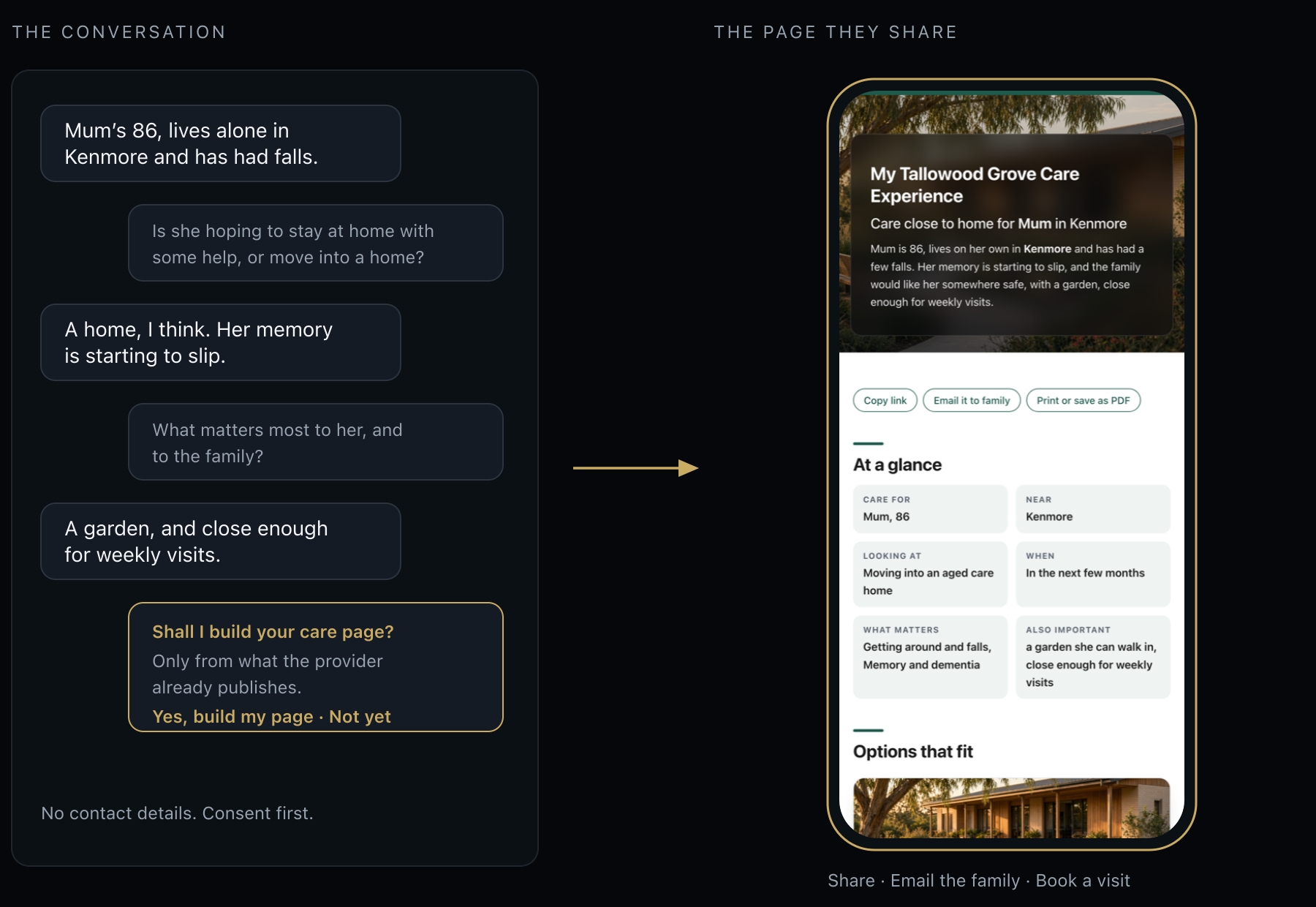
A short, kind conversation on your website becomes a personal care page for each family: the homes and services near them that fit, what care would include, how to get started, and the questions to ask when they visit.
Airgentic in 90 seconds
The challenge:families start looking at the hardest moment
Most families begin looking into aged care after a fall, a hospital stay or a worrying phone call. They arrive at your website anxious and short on time, and most websites leave them to work it out alone:
- There is a lot to understand — Support at home, respite, residential care and retirement living, each with its own funding rules and assessments.
- The answers are spread across many pages — Families piece together care types, fees, funding and locations one page at a time.
- “Is there one near Mum?” — The question everyone asks first is the one a website is worst at answering.
- They look after hours — Families research in the evenings and on weekends, when your intake team is offline.
- The enquiry form loses the story — A name and a phone number arrive. The situation, the worries and what matters to the person do not.
A family that can’t find a clear answer calls someone else, or puts off the decision until it becomes a crisis.
The solution: a care advisor that is always there
Airgentic puts a team of AI specialists on your website. They answer the way your most experienced intake staff would, for every visitor, 24×7, from the pages you already publish.
What it does
- Explains the kinds of care — Support at home, respite, residential aged care and retirement living, in plain language and from your own pages.
- Finds what is nearby — Turns a suburb or postcode into the nearest homes, home care offices and respite centres, with address, phone and what each offers.
- Asks before it builds — A few gentle questions, a read-back of what it heard, and permission before anything is put together.
- Stays honest — Never invents fees, prices or vacancies. When your site doesn’t publish a figure, it suggests confirming with your team.
- Puts safety first — When someone describes an emergency, it directs them to 000 before anything else.
My Care Experience: a personal care guide, built in a minute
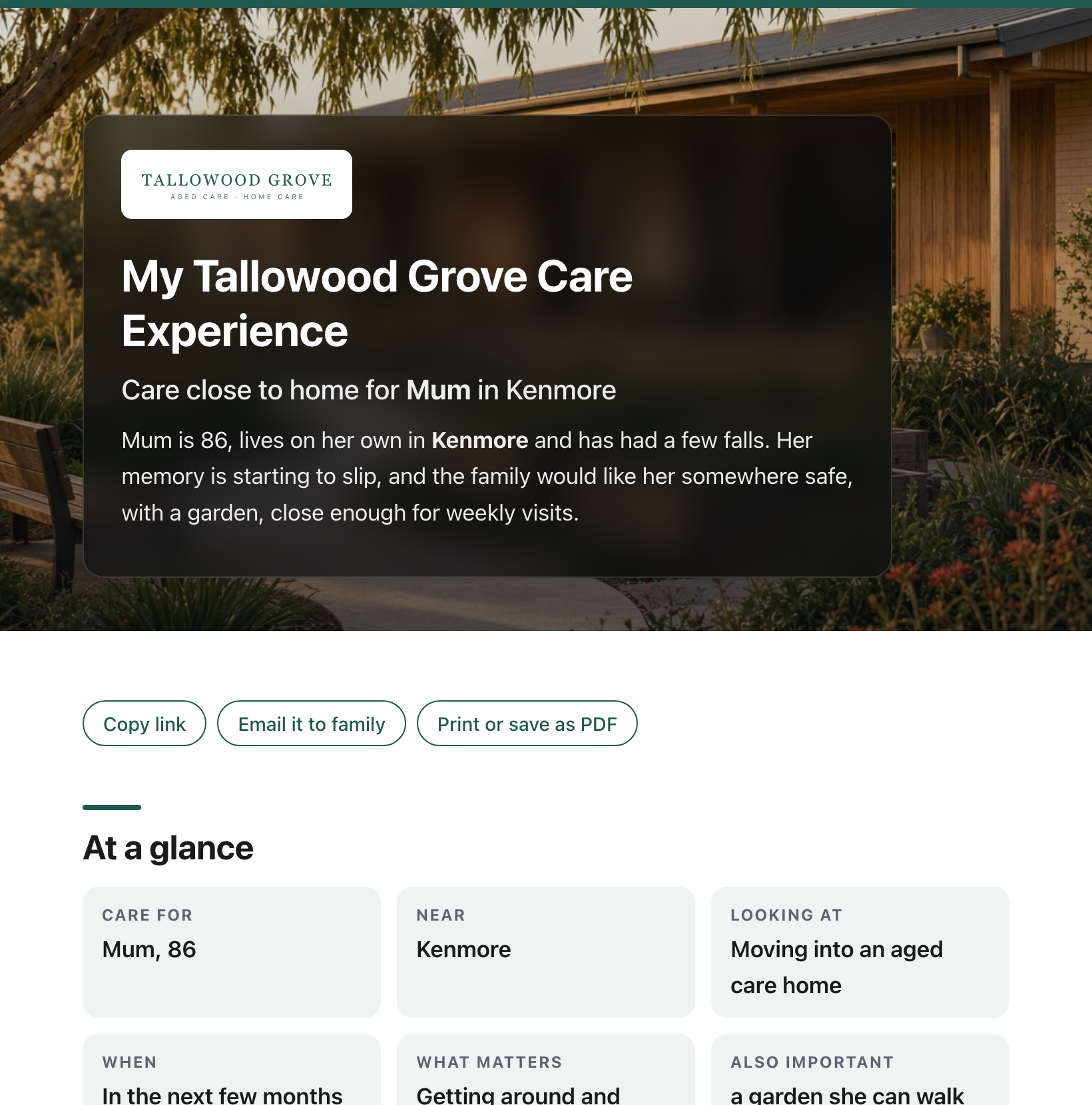
After a short conversation, the family receives a page of their own, branded as yours, such as My Tallowood Grove Care Experience. It brings together the places near them that fit, what care would include for each need they mentioned, how assessment and funding work, and the questions to ask on a visit.
Instead of a dozen browser tabs, they have one clear picture of their options, close to home. The chat doesn’t paste a wall of text. The page is the deliverable.
What’s inside every care page
Everything a good intake conversation would cover, written around this family’s situation, in your brand.
At a glance
Who the care is for, where they live, what they are hoping for and when, in the family’s own words.
Places that fit
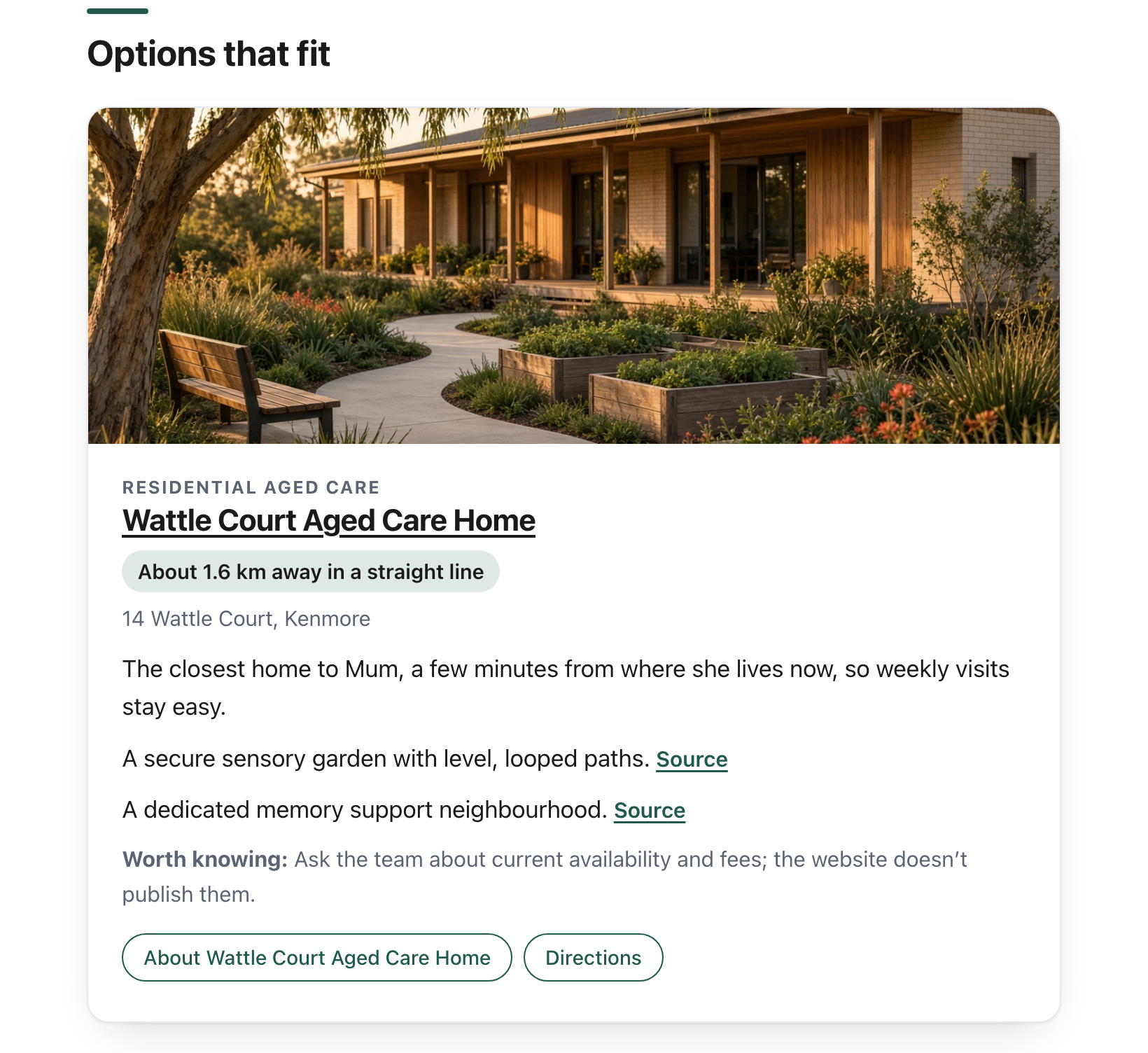
Your nearest homes, home care offices, respite centres or villages, chosen by distance from their suburb, with photos of your homes.
An honest gap
If nothing suitable is close by, the page says so, rather than quietly suggesting somewhere hours away.
What care would include
A section for each need they mentioned, such as personal care, memory support, falls, nursing or a break for the carer.
Getting started
How assessment and funding work. Fees, room types and availability are flagged as questions for your team, never guessed.
For the family
Support for the people around the person who needs care.
Questions to ask
A checklist for the visit or the phone call, so families arrive prepared.
Your next step
Call your team, make an enquiry or book a visit, using the buttons you configure.
Made to share
One private link to send to a brother, a sister or a GP, available for 30 days.
Made for the family conversation
Decisions about aged care are rarely made by one person. A daughter does the research, a brother lives interstate, and Mum wants a say.
A care page gives everyone the same clear picture to talk through together: the options close to home, what each would mean day to day, and what to ask next. When they call you, they have already done the groundwork.

What families get today, versus a care page
Same provider. Same homes and services. A much easier first step.
A website and a contact form
- “Here are our services.”
- A page for each type of care, and another for funding.
- A location list they have to compare by hand.
- A form that asks for a name and a phone number.
- Nothing they can share with the rest of the family.
My [Provider] Care Experience
- Here are the two homes closest to Mum that suit her needs, and why.
- Here is what care would include for falls and memory support.
- Here is how assessment and funding work.
- Here are the questions to ask when you visit.
- One link to share with the family.
How a care page is built, and why families can trust it
No new database and no extra content to write. Pages are built from the website you already publish, and nothing is built without the family’s say-so. Your team only hears from a family if they call or make an enquiry.
1. A short conversation
Up to six friendly questions: who the care is for, their suburb, what they are hoping for, the help needed day to day, when, and anything that matters to them.
2. Recap and consent
The assistant reads back what it heard and asks before anything is built. It never asks for contact details or medical history.
3. Only sourced claims
A separate job searches your care, location and funding pages. Every fact must trace to a page you publish; anything it can’t support is dropped.
4. Distance checks
Places are chosen by straight-line distance from the family’s suburb, within a limit you set.
5. A branded page
Rendered in your colours and delivered into the chat as a private link.
6. Your next step
Call, enquire or book a visit, using the numbers and URLs you configure. The AI cannot invent a phone number or a booking link.
A specialist for everything families come to you for
Many aged care providers also run community services, recruit carers and volunteers, and rely on donations. Each specialist owns one of those jobs, with its own instructions, sources and limits. Visitors never have to choose one: a frontline agent answers general questions and passes the rest to the specialist that owns it. Switch on the specialists that match your services.
Aged Care Advisor
Explains support at home, respite, residential aged care and retirement living from your published pages, finds the homes and respite centres nearest the visitor, and builds their personal care page.
Location Finder
Finds your closest offices, aged care homes, day respite centres and community teams to a suburb or postcode, with the address, phone number and what each one offers.
Support Finder
Matches a visitor’s situation to your counselling, family support, housing and youth programs, and names the nearest office that runs each one, with crisis lines first when they are needed.
Foster & Kinship Care Guide
Answers questions about types of care, who can foster, and carer payments and support, using your pages and carer stories, then points to an information session and the expression of interest.
Donation Concierge
Turns a wish to help into the right giving page: your current appeal, one-off or monthly gifts, gifts in memory or in a Will, goods and workplace giving.
Careers & Volunteering
Searches only your careers, vacancies, volunteering and student placement pages, and explains the checks and steps involved, to help fill paid roles and volunteer positions.
Better first conversations, with families who already understand their options
Warmer enquiries
Families call after they understand the kinds of care and have chosen a nearby home or service, so first conversations are more productive.
- Enquiries that already point to the right service
- Families who know how assessment and funding work
- Fewer calls that start from scratch
- A clear next step: call, enquire or book a visit
Your content, your voice
Every answer and every care page comes from your own website and settings, and your team stays in control.
- Update locations, notes and buttons from the Airgentic console
- Add notes about particular homes, such as who they suit
- Answers cite the page they came from
- Choose which sections every care page includes
Insight
See what families ask, worry about and can’t find, and where your website leaves them guessing.
- The questions asked most, by type of care
- The worries that come up most often
- Gaps on your site worth fixing
- Answers your team can review and refine
FAQs
Does it replace our intake or customer service team?
No. It takes the first questions, at any hour, and hands your team a family who is better informed and ready to talk. Assessments, fees, vacancies and admissions stay with your team.
Will it invent fees, prices or vacancies?
No. Every answer and every line of a care page must trace to a page you publish, and anything it can’t support is dropped. Where your website doesn’t publish a figure, the page suggests confirming it with your team.
What personal information does it collect?
Very little. The conversation asks who the care is for, their suburb and what help is needed. It doesn’t ask for contact details or medical history, and the care page is reached through a private link. Your team only hears from a family if they call or make an enquiry.
What happens if someone describes an emergency?
The assistant directs them to 000 first. For community services, crisis lines come before anything else when they are needed.
What if there’s no home near the family?
The page says so honestly, rather than suggesting a home far away. Where it makes sense, it suggests support at home or another nearby service instead.
Can we control which homes are suggested?
Yes. You can set how far away a place can be and add notes about particular homes, for example one that only suits certain residents. Your team can update locations, notes and buttons at any time from the Airgentic console.
We offer more than aged care. Can it help with our other services?
Yes. The same team can cover community services, foster and kinship care, careers and volunteering, and donations, each with its own specialist. You choose which specialists to switch on.
How long does it take to set up?
It is built from your existing website, so there is no content to migrate. Talk to us about timing for your organisation.
Every family, a clear first step. Every enquiry, a better conversation.
When your website can guide a worried family like your best intake staff, every family arrives informed, confident and ready to talk.
Airgentic helps aged care providers:
- Answer every question in seconds, at any hour
- Show each family the homes and services near them that fit
- Give every family a personal care page they can share
- Hand your team enquiries that already point to the right service
- Learn what families ask, worry about and can’t find
Branded as My [your organisation] Care Experience.
Still have questions?
Ask our AI — get cited answers about Airgentic for aged care providers, personal care pages and enquiry handling.